Created on September 12, 2025; 20:10
Custom OS CRUSADE (COSC)
Part 1: The Computer
It started on September 3rd.
If I remember correctly, I was starting to get exceedingly tired of Windows. I had been using Windows 10 on my PC for a while, my PC’s limitations were sickening under this OS.
Issues like unstable network, laggy games, relatively bad driver support, the software audio mixer glitching under heavy load and overall poor performance were driving me nuts.
I used Linux on this PC before, but switched back to Windows because of some weird issues I had (like some games overall not launching at all).
I was hesitant to install it again, but seeing my options as to sticking with a barely running Windows 10 install, or to bite the bullet and go ham again.
I decided for the latter.
I copied most of my files as possible on to a smaller external drive (A 512GB hard drive single-handedly stored data from two 1TB drives [not that I had much on them anyway]), ran Rufus to make an endeavourOS installer.
And was ballin’

Then after it installed, I noticed that the PCI Wi-Fi card stopped working, so I switched it out for my PCIe one, which worked flawlessly.
I was happy that the PCIe one finally worked again.
So I copied my files back, here have a photo of that! :P
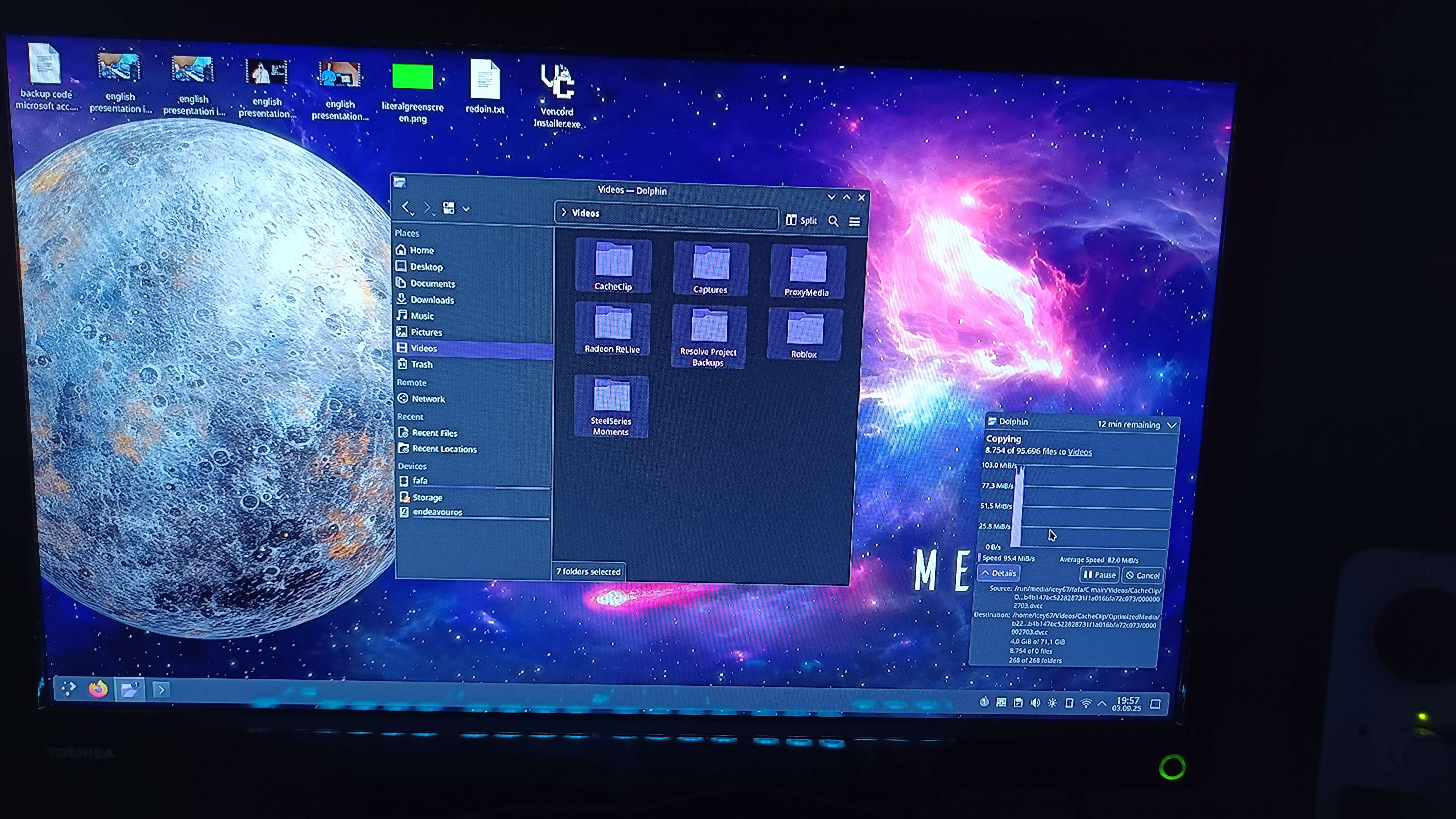 Yes I copied them folder by folder, I didn’t want to risk screwing over my home folder or user configuration or something. idk
After copying a f***ton of files, I started installing stuff such as Steam, Discord (psst, i’m using vesktop, don’t tell discord) and… uhhh..
f***, I don’t know what else I installed at the time, I created this blog post file on September 12th, and I’m currently writing this on the f***ing 28th.
soo… I think I also installed Flameshot, Easyeffects and Bottles?
And I’m not even using Flameshot anymore because of some Wayland issue that makes it not work on my secondary monitor, and Spectacle works just fine after configuring it.
(and even now it doesn’t even work at all because I apparently didn’t give it permission to access the screens)
Anyway, with eveee00’s microphone filter preset wherever he got THAT from that “wherever” is a real word??, I was able to get a pretty good sound out of my mic, and I was relatively happy with it.
Too bad I can’t do my trademark™ “bass boom”
Now I would’ve added an audio clip of it, but it seems like I don’t have one anymore, haha.. guess I did miss some files after all. :P (eugh, italics look weird in this font)
Anyway, I was pretty happy with how my mic sounded, and with some more help of eveee00, I was able to get it “inject” to all apps (meaning it would pipe the filtered audio to all apps that want to use the microphone).
And then with a bit more tweaking and tweaking out with eveee00, I got Bluetooth working as well.
Finally with ALL OF THAT DONE, I started playing R.E.P.O with eveee00 and his friends, and it was a blast.
Now with all that done, I installed some more stuff such as Kdenlive, Obsidian, Prism Launcher.
I would’ve rather installed DaVinci Resolve, but it seems like it doesn’t support my CPU anymore, so I guess I’ll stick with Kdenlive for now. (why doesn’t it support my cpu on linux anymore? apparently because it needs a certain instruction set on there that windows didn’t need 😠 )
And then a few days later, I installed Deep Rock Galactic, and played with a friend of mine, can’t tell/remember if it ran better though.
Part 2: The Phone
A few (either 2 or 3) days after the events of installing Linux, I was also starting to get tired of my phone’s operating system.
I have a Redmi Note 12 Pro 5G, which at the time ran HyperOS 2.0 still on Android 14 while Android 16 was released with it’s new Material You 3 Expressive design language on the Google space.
The phone itself isn’t much of a screamer, with a MediaTek Dimensity 1080, 6GB of RAM and 128GB of storage, but it was fine for what I needed it for, even though the battery is holding up less lately.
I installed quite a few custom ROMs before, such as Pixel Experience, Evolution X, and even tried LineageOS once, but I always went back to MIUI/HyperOS because of integrity.
But that mattered no more, thanks to my evermore growing disinterest in Prime Video and others.
soooo
fuck it, we ball
fuck it, we ball
fuck it, we ball
fuck it, we ball
Early in the morning at school, I decided to try and unlock my bootloader again, seeing how I locked it after reverting back for more “Play Integrity”.
I installed the version of Xiaomi Community that allows to request bootloader unlocking permissions, and tried to apply.
Multiple times.
All it turned out was the message above the button.

To no avail. 😔
The next day I decided to just try running the unlock tool, but before I did that I copied every file possible to my laptop, while I was in school. xd

So after I copied everything, I went ahead and tried to unlock the bootloader, and to my surprise, it actually worked.
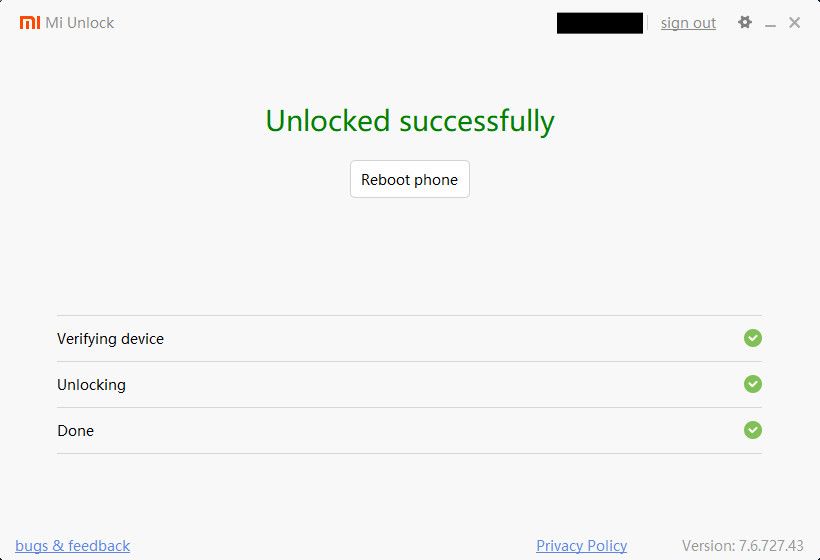 I was shocked, I didn’t expect it to work at all, thinking it would’ve revoked my permission
After the bootloader fiasco, I went ahead and installed a port of HyperOS 2.2 from the Redmi K70 Ultra, called “SPEEDOX UI Turbo Edition” (it’s called that because of whatever).
As of writing this, I don’t know anymore why I removed it, but whatever, it’s for the better. :P
At home, I then decided to try out 2 new ports made for my phone of OxygenOS 15 and ColorOS 15
Both of them ran…
Well. they ran. Not as smooth as I would’ve liked.
With a few issues such as a power button delay, no fingerprint and face unlock features.
I canned those ports as well, and decided to install a modded HyperOS 2.0 build with Xiaomi.eu features and more.
Part 3: The Laptop
After a while, during school, with no access to my PC and therefore no Linux, with only my laptop here, I was feeling hollow
I asked eveee and other friends if I should install Linux on my laptop, eveee said I can if I wanted to, and the others said I shouldn’t.
As per usual with this, I went:
fuck it, we ball
fuck it, we ball
fuck it, we ball
fuck it, we ball
So for the next day of school I went ahead and brought my USB with me, and installed endeavourOS (as per usual)
OUT OF ORDER:On September 29th, I was testing and trying to see how well some games would run, first trying PEAK, which luckily loaded up fine to the menu, but as I tried to start a “offline” game while also loading Firefox, it decided to kernel panic xd
So I had to hard reboot, perplexed, I asked eveee00 about it, and he said it was probably because I was running out of RAM, which was probable.
So I tried again, this time closing Firefox, and it decided to still kernel panic even before the menu loaded, after a usual hard reboot, eveee00 suggested I’d look at uname -a and see what kernel I was running.
Turns out I was running 6.16.8-arch2-1 which eveee00 forwarded me a warning that it would have memory management issues
So I clearly panicked, trying to install the LTS kernel, but grub didn’t pick it up until I installed the headers for it. (oops)
After installing the headers I decided to update (just in case), which was apparently a mistake because it installed 6.16.8-arch3-1 which WAS the kernel that has the memory management issues.
Turns out my previous kernel was theoretically fine but now that THAT was installing I lost my sh**.
I frantically looked for a solution to setup grub to boot the LTS kernel by default, but couldn’t find anything.
After it all installed, grub decided to configure itself and it did just that.
…what.
The next day, I was playing PEAK with friends and I noticed as the MESA biome was coming in the frame times started just completely popping off, over 100ms leaving me suffering at 10fps.
:pensive:
I don’t know anymore when the following happened, but I’ll tell anyway. :V
After lovely advice from eveee, I installed systemd-boot instead of grub, as it’s apparently intended for UEFI systems, and my laptop is recent enough for that.
I was just doing an update via sudo pacman -Syu and it installed a new kernel version.
So as a good samaritan, I decided to reboot as intended, though it decided to throw me into an emergency shell.
This was also during school mind you, and so I was confused “maybe the screw dust finally decided to bite the SSD?”oh yeah for context i stripped a screw so i forcefully modified it to be a flathead screw instead which worked ever so marginally I thought with eveee.
Thankfully, eveee was there to help, though to no avail.
We got separated, and I was left alone to try and fix my install.
Seeing as how the Windows partition was fine, I decided to stick with that and try to chroot into my endeavourOS install.
To no further progress, due to HyperV’s enclosed system not allowing me to mount my installation.
Part 4: concluding??
COMPLETELY OUT OF ORDER.
Haven’t been working on this post a while now, so I’ll just jump the gun I guess.
I ended up reinstalling endeavourOS on my laptop, canning endeavourOS on my PC because of ever-more growing incompatibilities with my hardware, and turning back to Windows. Recently switched to another Custom ROM on my phone and rooted it because whatever.
so… i hope you had a bit of fun reading my first post
Created on September 12, 2025; 20:10